
/
Layer MCP: The Creative Operating System That Puts Game Marketing in Control

Burcu Hakguder
Mar 30, 2026
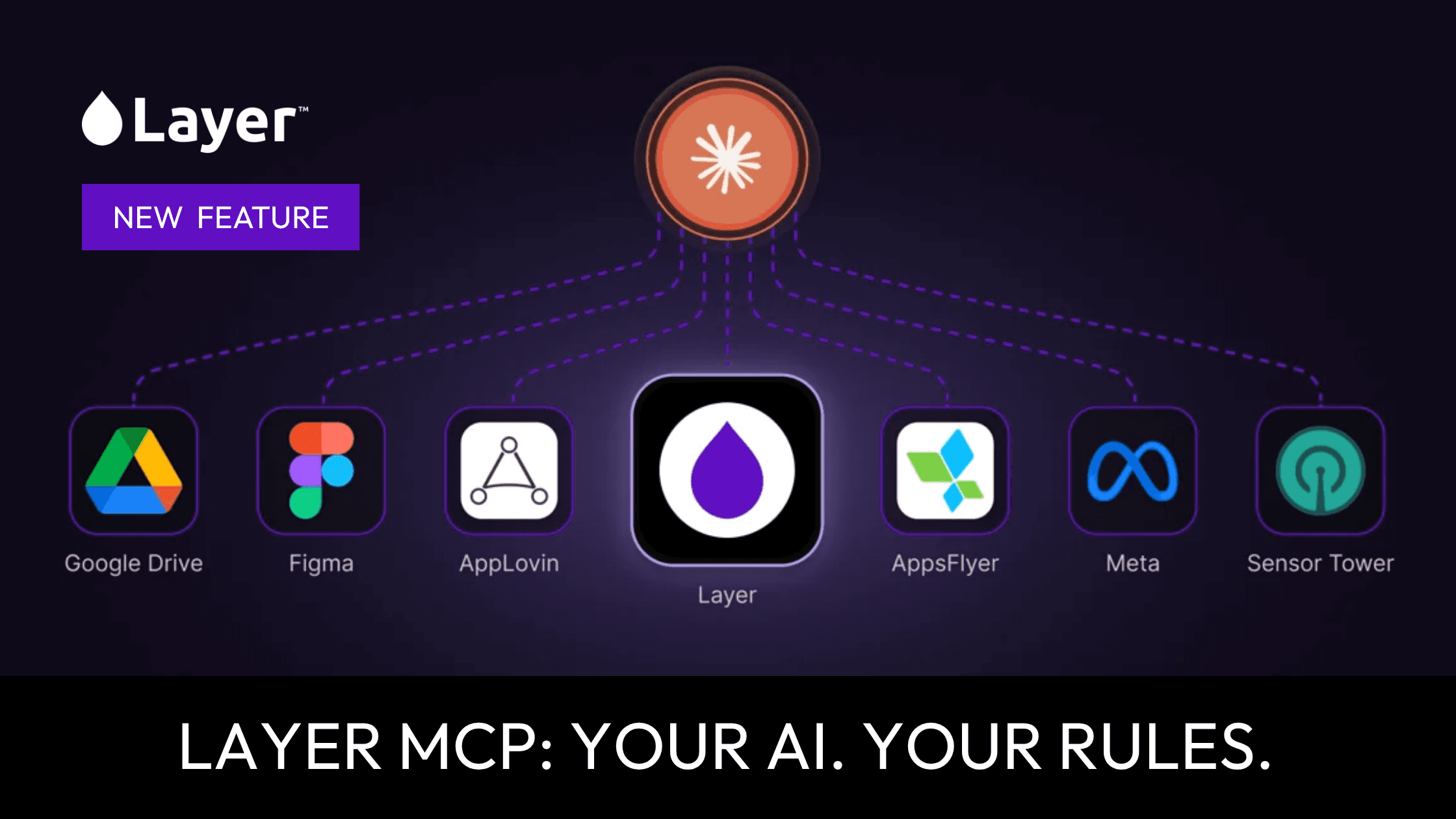
Your Creative OS, inside every AI you use
Creative bottlenecks are one of the biggest limiters for mobile game studios. Teams test fewer concepts, approvals slow production, and even clear winners don’t scale fast enough to meaningfully move CPI and retention.
Layer MCP removes the choke point. Model Context Protocol (MCP) connects your AI assistants directly to your Layer workspace, so teams can brief AI the way they brief human creatives—using the same templates, brand rules, and asset libraries already in production. Results come back on-brand, channel-ready, and versioned inside your pipeline.
What MCP is and why game teams should care
Model Context Protocol (MCP) is an open standard that lets AI assistants securely call external tools and data sources in real time. Instead of operating as a standalone chat window, an MCP-enabled assistant can read structured context, run actions in production systems, and return outputs directly into your workspace. The MCP registry and documentation outline how clients request tools and exchange context safely.
(registry.modelcontextprotocol.io)
For UA and LiveOps teams, the practical impact is simple: brief once, scale everywhere. An MCP-enabled AI can pull campaign templates, brand models, and approved assets, generate hundreds of variations, and place finished deliverables into the exact project folder your team already uses.
Who this is for
UA Lead: Scale winners fast: turn one winning concept into 50+ variations for TikTok, Meta, and ad networks.
LiveOps Manager: Ship seasonal promo packs: full event creative across formats, ready for in-app and social.
Creative Ops / Producers: Reduce coordination: one brief, consistent outputs, built from your templates.
Art Lead: Preserve brand quality: controlled style models and approval gates maintain AAA direction.
Integration posture: works with MCP-compatible clients (Claude, Cursor, and other MCP hosts) so teams spend less time tool-switching and more time testing.
Introducing Layer MCP: how it connects AI agents to your Layer workspace
Layer MCP is a direct bridge between MCP-capable AI clients and your full Layer workspace. You brief your AI like you brief a senior producer. Layer runs the creative. Assets come back on-brand, channel-ready, and stored in the right project with versioning.
Example commands you can run inside a connected AI client:
“Generate 50 UA ad variations of our top-performing campaign: deliver 30 9:16 TikTok reels, 15 1:1 Meta statics, and 5 16:9 YouTube shorts. Tag each variation with concept A/B/C and link to source cut.”
“Create a full LiveOps promo pack for the Easter Event: 3 hero videos, 12 store banners, 8 in-app screens, and CSV with asset names and localization keys.”
“Scale our top-performing ad into 10 market localizations: translate copy for 10 languages, adapt cultural visual cues, and produce localized screenshot sets for App Store and Google Play.”
“Build a complete Q3 campaign storyboard using our character assets and brand model: deliver 10 scenes with shot lists and voiceover scripts, ready for dev sign-off.”
“Build playable ad variations for our new title: produce 3 playable templates optimized for iOS and Android with reduced binary footprints for ad networks.”
"Generate a set of 50 style-consistent in-game items for a new level"
This isn’t just connecting an AI to another AI
When an MCP client calls Layer, it’s connecting into a governed creative operating system: models, workflows, templates, brand systems, approvals, and workspace permissions. That governance is what turns raw generation into production-grade output—less rework, fewer subjective reviews, and consistent creative quality at scale.
Governance built into the creative OS includes:
Role-based access control (RBAC)
Approval gates
Asset versioning
Branded style models
Audit logs for every generation event
Security and connector guidance are part of the broader MCP ecosystem. Refer to MCP documentation and connector guides for deployment details (registry.modelcontextprotocol.io)
Example use cases via Layer MCP
Command category | Example prompt | Output | Typical owner | Notes |
|---|---|---|---|---|
UA scaling | “Generate 50 UA variations” | 50 tagged ad assets | UA Lead | Exports to ad network formats |
LiveOps pack | “Create Easter Event promo pack” | Videos, banners, creatives | LiveOps Manager | Includes localization keys |
Localization | “Localize top creatives to 10 markets” | Localized assets + metadata | ASO/Localization | CSV mapping included |
Storyboard | “Produce 10-scene storyboard” | Storyboard PDF + assets | Creative Producer | Human review required |
Playable ads | “Build playable ad templates” | Playable binaries + metadata | UA/Creative | Size- and platform-optimized |
Generated assets land in the correct project folder with version tags and a generation audit entry.
End-to-end workflow examples
1) UA scaling winners
Brief: UA Lead marks a winning 6s concept.
Generate: “Scale this to 50 UA variations—30 TikTok 9:16, 15 Meta 1:1, 5 YouTube 16:9.”
Human-in-the-loop: Creative Ops reviews flagged variations and approves the set.
Export: Approved assets export to the ad platform with naming, captions, and localization keys.
2) LiveOps seasonal promo pack
Brief: Product + LiveOps define event objectives and KPIs.
Generate: Layer MCP produces hero videos, thumbnails, store banners, and in-game screens in one run.
Review loop: Art Lead requests iterations for polish; final pack is versioned and delivered to release.
3) Localization across 10 markets
Brief: Deliver localized creatives for the top 10 markets.
Generate: AI uses translation templates and local variants; Layer produces 10 language folders, screenshots, and localized copy CSVs.
QA: Localization team adjusts a small set of lines; assets re-run and finalize.
Cycle time shifts from days to hours by collapsing handoffs into governed prompts and review gates.
The three-layer OS vision
Context: your brand knowledge base: policies, market intelligence, campaign history, and asset library.
Rules: production logic: workflows, approval gates, templates, and quality thresholds.
Agents: MCP-enabled AI clients that execute, iterate, and scale creative runs.
On‑brand output: channel-ready assets that land in the right project with metadata and versioning.
Refresh: performance signals feed back into Context so agents improve future runs.
This is the future of in-house creative: faster iteration, owned pipelines, and compounding value over time.
Benefits
Own your creative pipeline: brief it, run it, ship it fully in-house.
Iterate in hours, not days: test more concepts and find winners faster.
Keep teams in the driver’s seat: fewer meetings, less coordination overhead, more output.
Channel-ready deliverables: exports formatted for TikTok, Meta, ad networks, and app stores.
No tool-switching. No agency in the middle. No creative bottleneck.
Security, IP, and enterprise governance
Connecting an assistant to a production workspace introduces real security requirements. Production MCP deployments should use strict authentication, workspace separation, RBAC, audit trails, and human approval gates. MCP documentation and connector guides include security guidance for production use.
Operational best practices:
Avoid sending unrestricted private secrets to third-party models.
Keep private brand models and style assets controlled within your workspace.
Enforce policy and review through approval workflows.
Setup: Connect Claude or Cursor to Layer MCP
Connecting Layer to Claude is easy. Only takes a min, here are the instructions.
Brief it. Build it. Ship it. Your brand. Your workflows.
Your AI. Your Rules.