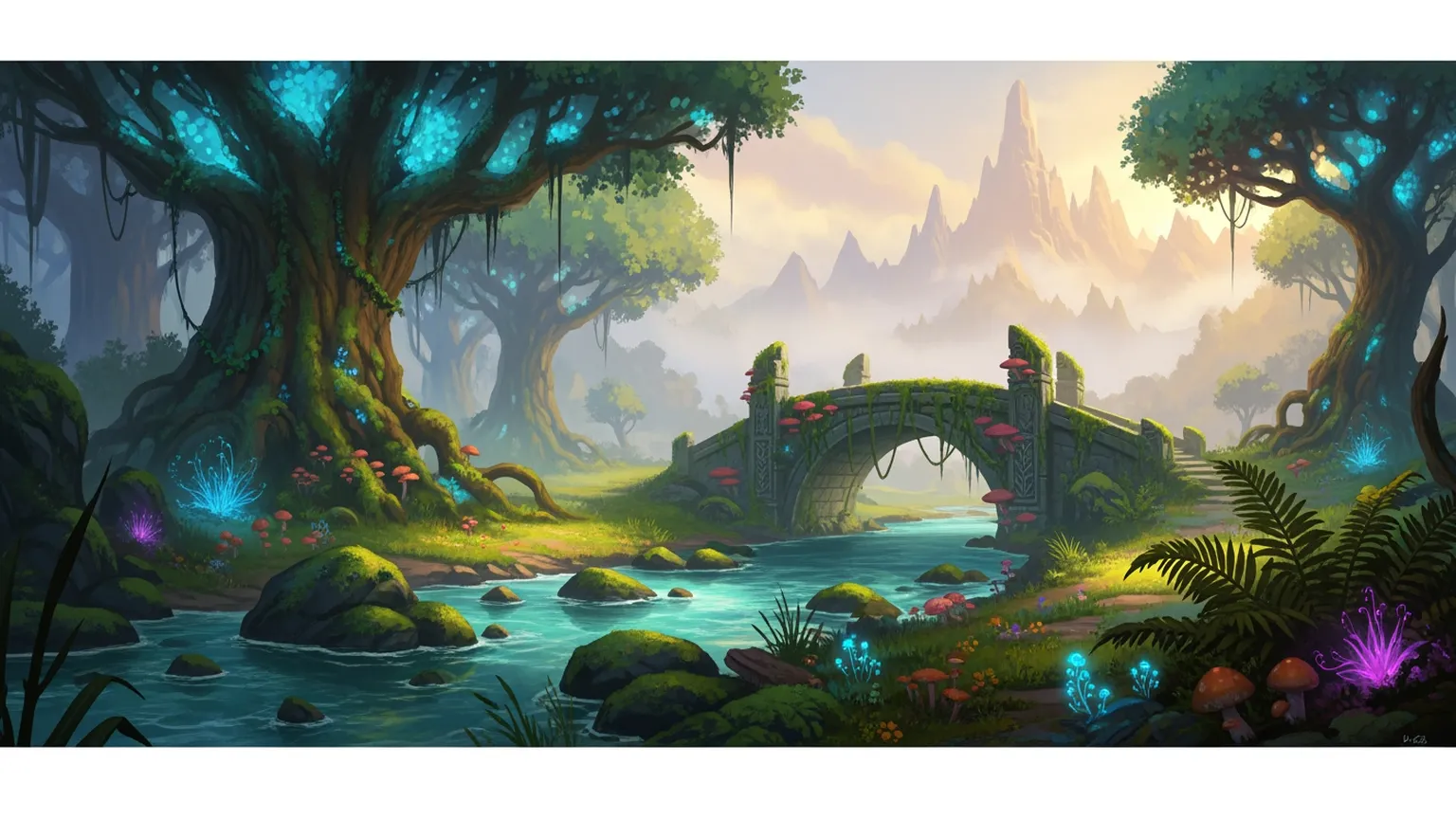
Environment art defines how a game world feels. Every landscape, interior, skybox, and prop contributes to the player's sense of place. But environment concepting is notoriously slow — a single key art piece for a level can take a senior environment artist days, and most games need dozens of distinct environments before production even begins.
Layer transforms environment art from a weeks-long exploration into a rapid generation pipeline. Produce dozens of environment concepts in a single session. Explore biomes, lighting conditions, architectural styles, and atmospheric moods at a pace that manual painting cannot match. Your environment artists focus on creative direction and refinement while Layer generates the volume that world-building demands.
Rapid World Concepting
The first phase of environment design is about defining the visual identity of your world — the mood, palette, scale, and style that will guide every level. This exploratory phase traditionally consumes weeks of senior artist time.
Biome Exploration at Speed Generate 30-50 biome concepts in a single session. Explore forests, deserts, tundra, volcanic wastelands, underwater kingdoms, and alien landscapes. Find the visual directions that excite your team before committing production resources.
Mood and Atmosphere Testing Run the same environment through dramatically different lighting and weather conditions — dawn, dusk, storm, fog, moonlight. Discover which atmospheric treatment best serves your narrative and gameplay.
Architectural Style Discovery Test architectural approaches for civilizations and factions in your world. Gothic cathedrals, organic alien structures, brutalist military compounds, or rustic villages — explore dozens of building styles in minutes.
Scale and Composition Generate wide establishing shots that define the grandeur of your world, medium compositions that frame gameplay spaces, and intimate detail studies that inform prop and texture work.
Layer makes world concepting the fastest phase of your pre-production, not the slowest.
Level Design Visual Development
Once a world's visual direction is established, individual levels need their own concept art — key art pieces that guide the 3D environment team through production.
Key Art Generation Produce hero images for each level that define layout, landmarks, lighting, and atmosphere. Give your level designers and 3D artists clear visual targets.
Landmark and Point-of-Interest Design Generate distinctive landmarks — towers, ruins, natural formations, ancient machines — that serve as both navigation aids and visual storytelling elements.
Gameplay Space Visualization Concept art for combat arenas, puzzle rooms, exploration zones, and traversal paths. Visualize how gameplay spaces feel before building them in 3D.
Transition Zones Design the visual transitions between biomes, interior/exterior boundaries, and above/below-ground spaces. Ensure your world feels connected, not segmented.
Every level gets the visual development it needs to guide production.
Props, Vegetation, and World Details
Environments are made of thousands of individual elements — trees, rocks, furniture, debris, signage, and decorative objects. Concepting these at volume is essential but tedious when done manually.
Prop Sheet Generation Generate organized prop sheets showing furniture sets, weapon racks, market stalls, laboratory equipment, or any category of environmental objects. Give your 3D modelers clear reference organized by type.
Vegetation Libraries Design trees, bushes, flowers, grasses, mushrooms, and alien flora that define each biome's botanical identity. Generate style-consistent vegetation sets at volume.
Environmental Storytelling Props Create narrative-driven props — abandoned journals, broken machinery, overgrown ruins, battle damage — that tell stories without dialogue.
Modular Asset Concepts Design modular building pieces, wall sections, floor tiles, and architectural elements that snap together in your engine. Concept the modular kit before production begins.
The volume of detail work that makes environments feel alive.
Style Consistency Across Large Worlds
Open-world and live-service games need environments that span dozens of distinct areas while maintaining a unified visual identity. Keeping that consistency across a large team over months or years of production is a core challenge.
Custom Style Training Train Layer on your game's environment art. Every generation respects your color palette, rendering approach, detail density, and atmospheric style regardless of who on the team is generating.
Biome-Specific Style Locks Define distinct but related styles for each biome — a snow region might share rendering techniques with a desert region while having entirely different palettes and vegetation. Layer maintains per-biome consistency.
Reference Boards and Presets Build shared reference libraries that art directors curate and the entire environment team accesses. Ensure visual alignment from first concept to last prop.
Cross-Discipline Consistency When character, environment, and UI art all train on the same style foundation, the entire game feels cohesive. Layer's shared style system supports game artists and concept artists working across disciplines.
Visual consistency at world scale, maintained automatically.
Integration with 3D Production Pipelines
Environment concept art must flow cleanly into 3D production. Layer integrates with the tools and engines your environment team already uses.
PSD Export with Layers Export environment concepts as layered PSD files. Artists separate sky, background, midground, foreground, and atmospheric elements for paintover and reference.
Unity and Unreal Engine Layer integrates with Unity and Unreal Engine workflows. Reference art, texture studies, and material concepts export directly into your engine project structure.
Adobe Creative Suite Move environment concepts into Photoshop for paintover, or into Photoshop workflows for matte painting and compositing.
Figma for Level Design Documentation Teams using Figma for game design documentation can embed Layer-generated environment concepts directly in level design specs.
Seamless handoff from concept to production.
Enterprise Collaboration for World-Building
Large-scale environment art production requires team coordination, IP protection, and organized asset management.
SOC 2 Compliance Your world IP — locations, architectural designs, biome concepts, and narrative-driven environments — is protected by enterprise-grade security. Layer is SOC 2 compliant.
No Seat Fees Add environment artists, level designers, art directors, and producers without per-seat costs. Scale your world-building team without scaling your tool budget.
Approval Workflows Route environment concepts through art director review before they enter production. Maintain creative quality across every corner of your world.
Organized Asset Libraries Tag and organize generated environments by biome, level, mood, and production status. Build institutional knowledge about your world's visual identity.
Enterprise-ready tools for studios building worlds at scale.
From Empty Canvas to Living World
Layer compresses the environment art pipeline from months to weeks. Studios using Layer for world concepting explore more visual directions per environment, align stakeholders faster, and start 3D production with stronger reference.
Your concept artists spend their time on creative judgment — choosing which mountain range silhouette best serves the narrative, which ruin design creates the most compelling exploration space — instead of spending days producing each option manually. Your art directors review complete world visions, not piecemeal sketches.
Explore related workflows like character design for populating your worlds, texture generation for surface materials, and concept art for broader visual development.