AI Tool
2D Animation Rigging Sheet
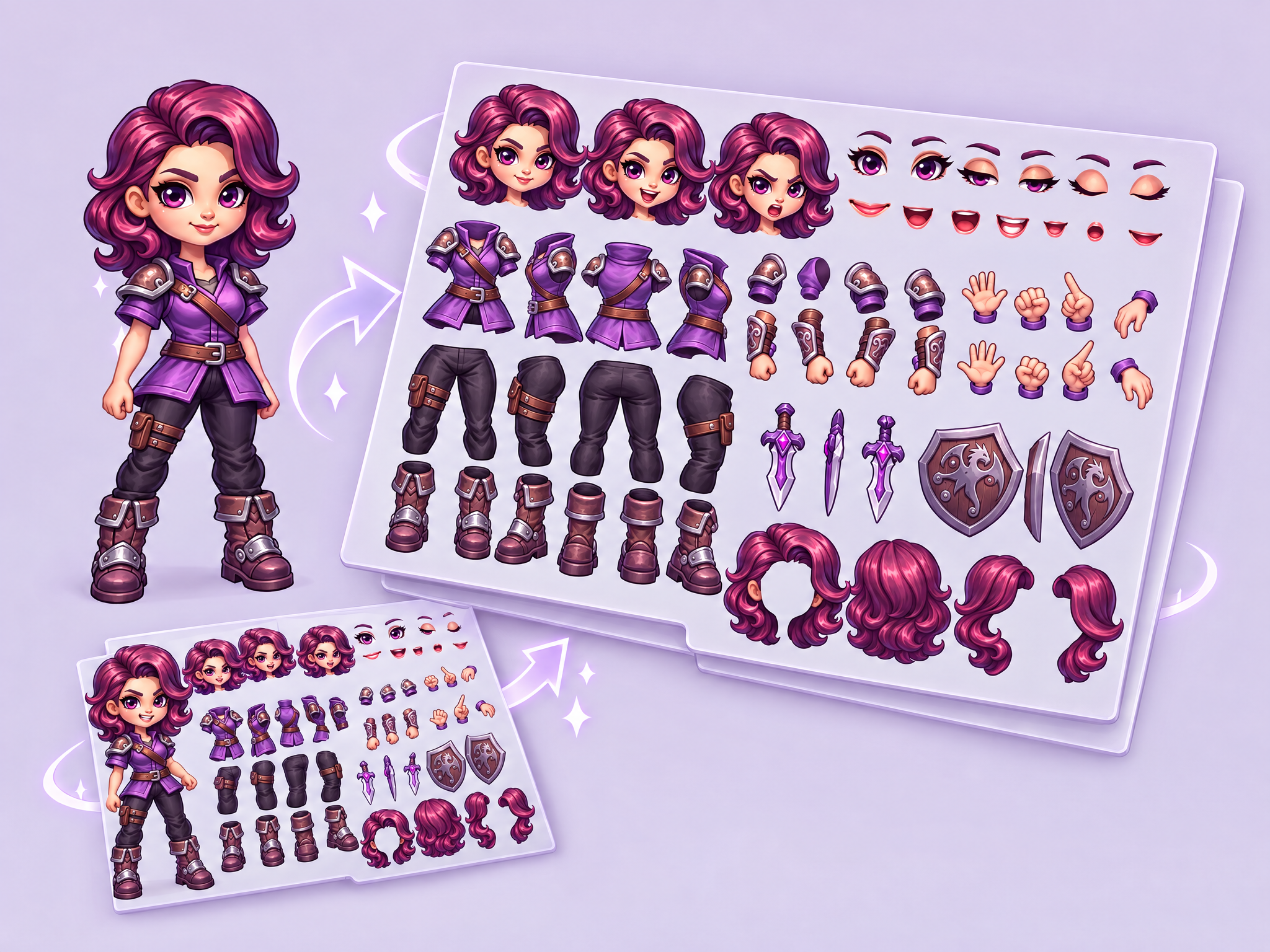
2D Animation Rigging Sheet AI is the ultimate tool for 2D animators and game developers using software like Spine, Live2D, or Moho. It takes your character concept and automatically generates a full "parts sheet," separating limbs, torsos, and heads into individual, consistent assets ready for rigging.
FAQ
What are Layer templates used for?+
Layer templates are designed to help game studios, UA teams, LiveOps teams, and artists automate a specific creative task using AI-powered workflows. It reduces manual work while maintaining visual consistency and production quality.
Do I need design or technical skills to use templates?+
No. Layer templates are built to be usable by non-technical users, including marketers, product managers, and artists. Advanced users can customize prompts, styles, and inputs, but no coding is required.
Can I use templates with my own art style or assets?+
Yes. You can upload your own reference images, styles, characters, or assets to ensure outputs match your game's existing art direction.
What does the 2D Animation Rigging Sheet template do?+
The 2D Animation Rigging Sheet template is a Layer use case template that helps you 2D Animation Rigging Sheet AI is the ultimate tool for 2D animators and game developers using software like Spine, Live2D, or Moho. It takes your character concept and automatically generates a full "parts sheet," separating limbs, torsos, and heads into individual, consistent assets ready for rigging.
When should I use the 2D Animation Rigging Sheet template?+
Use this template when creating concept variations, cosmetic previews, character customization options, or any production task that benefits from rapid AI-powered iteration.
Can I batch generate variations?+
Yes. Batch processing is supported, and for advanced combinations you can leverage Layer's workflow tools.